Springboard Administration: Monitoring Learning Activity
Monitoring Learner Activity and Progress
As a Springboard Administrator, you can view activity for learners including; enrollments, progress and scores.
Review Activity for a Specific Learner
- From the Admin Dashboard, select the Users button
 from the left sidebar menu.
- Select Users from the left sidebar menu.
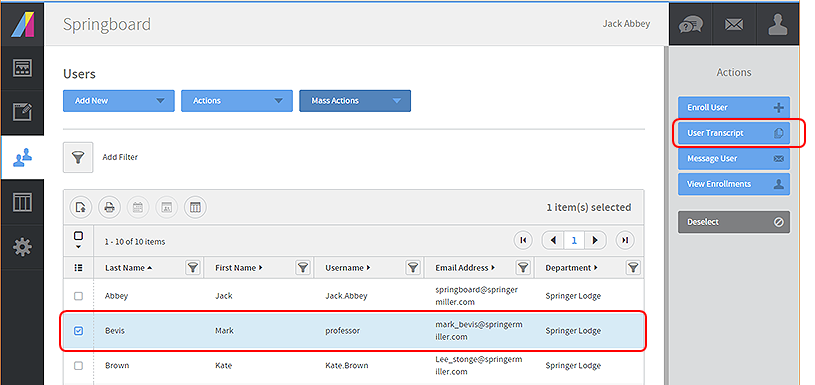
- Locate the individual learner (you can use Add Filter tool if needed).
- Select to enable the checkbox to the left of the learner you wish to check up on.
- Select User Transcript (from the Actions side bar menu on the right side of the page).
Reviewing the User Transcript
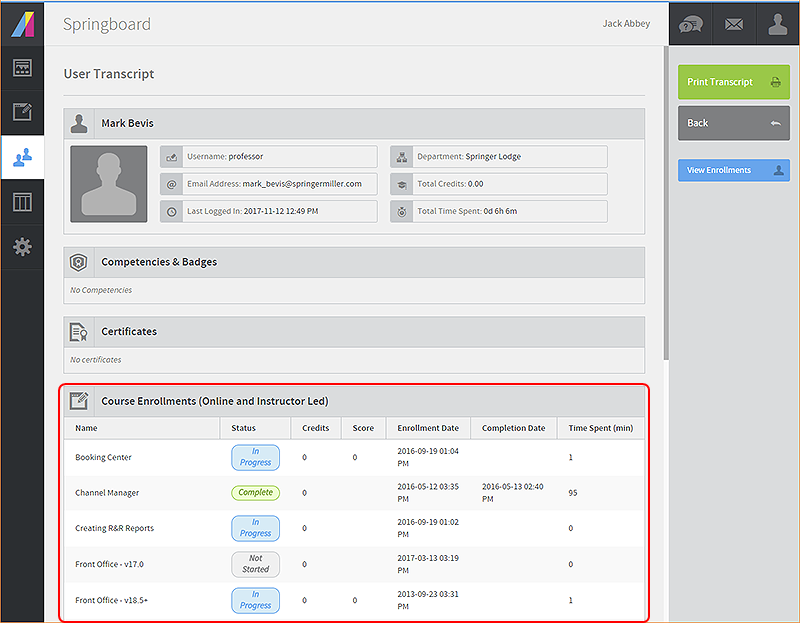
The User Transcript displays a list of all courses this user has enrolled in.
Progress in each course is displayed and highlighted in the Status column of the report on screen.
Zooming in a Specific Course
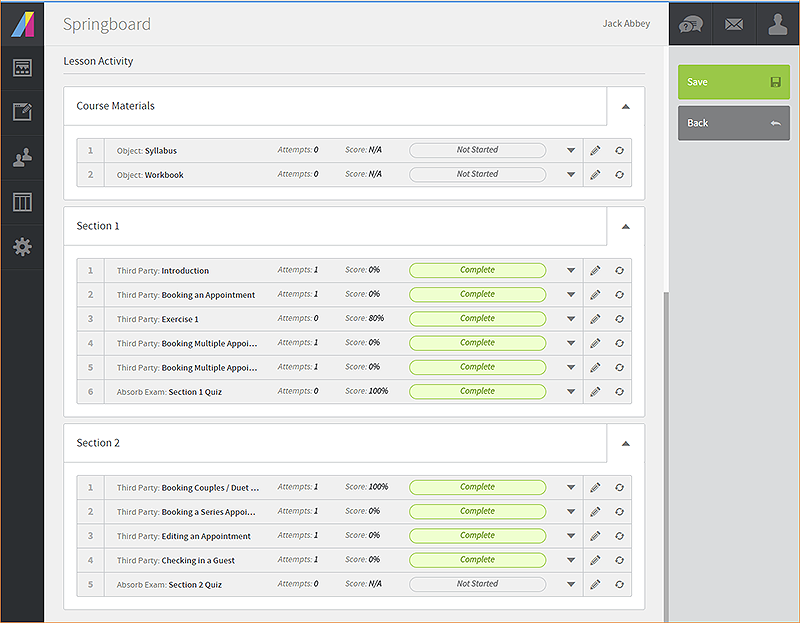
Select any of the rows representing a course to zoom in and review progress down to the lesson level.
Additionally from this screen you have the option to edit the progress report and/or reset a particular lesson or quiz.
top of page 
|
See related:
Springboard: Guide for Administrators


